Blogs
Stay updated with our latest blog posts.


That strange silence from your vents is usually the first sign something is wrong, but diagnosing a blank thermostat during a Boyd heatwave is what truly sets in the panic. When the indoor temperature starts climbing, you walk over to check the settings, only to find a completely dead screen staring back at you. During a peak Texas summer heatwave, the temperature inside a home can easily rise 10 to 20 degrees within just a few hours. That rapid warming makes every minute count, and it is entirely natural to assume the absolute worst—that your entire air conditioning system has suffered a catastrophic failure.
However, a blank screen does not automatically mean your compressor has died or your blower motor has burned out. The thermostat is simply the control panel, the brain that sends signals to the heavy machinery outside and in your attic. When that screen goes dark, it usually points to a localized power interruption rather than a total mechanical breakdown. Knowing how to check the control panel first empowers you to take control of the situation, potentially saving you from unnecessary stress and the cost of an emergency service dispatch. If you have already run through the basics and need immediate AC repair in Boyd, professional help is just a phone call away. But if you want to rule out the simple fixes first, there are several safe, basic checks you can perform right now.
It is easy to jump to conclusions when your home is sweltering, but distinguishing between a simple control issue and a major mechanical failure is the first step in resolving the problem. Thermostats do not run on magic; they require a dedicated power source to function. Depending on the make and model of your device, this power comes either from standard alkaline batteries or a low-voltage 24-volt wire (often called a C-wire) connected directly to your HVAC system. When the screen goes blank, it simply means the thermostat has lost that power connection.
Just last summer, the team at Family Comfort Heating & Air responded to a local Boyd family with toddlers dealing with a sudden AC shutdown right in the middle of July. We expedited their service to get the system running efficiently again, but in our experience handling peak-heat emergencies, their stressful situation highlights why understanding your thermostat is so important. Ruling out basic electrical or battery issues can save you hours of waiting in a hot house. Staying calm is key when assessing HVAC symptoms under pressure, especially in the demanding climate of Boyd TX.
To understand why a blank screen is often a minor issue, it helps to understand the relationship between your thermostat and the rest of the system.
• The Brain vs. The Muscle: Think of the thermostat as the brain of your HVAC system. It monitors the room temperature and decides when it is time to work. The air handler and the outdoor compressor are the muscles that do the actual heavy lifting.
• The Communication Breakdown: If the brain loses power, it cannot tell the AC to turn on. The muscles might be in perfect working condition, but without the signal to start, they will sit idle, mimicking a total breakdown.
• True Compressor Failure Symptoms: Actual compressor failures usually present with entirely different symptoms. If your compressor is failing, the thermostat will typically stay on, the indoor fan might still blow air, but the air coming out of the vents will be warm or room temperature.
The most common and easiest do-it-yourself fix for a blank thermostat is checking the batteries. Many older models, and even some non-smart programmable thermostats, run entirely on two AA or AAA batteries. When these batteries drain, the screen simply dies, and the system shuts down. Even if you are dealing with a severe Texas summer heatwave, the solution might be sitting in your junk drawer.
1. Remove the faceplate: Safely remove the thermostat faceplate from the wall mount. Most models are designed to be gently pulled straight out toward you. Do not twist or pry with tools, as this can damage the plastic clips or the delicate pins connecting the faceplate to the wall plate.
2. Locate the battery compartment: Once the faceplate is off, turn it over. You will typically see a small compartment holding the batteries.
3. Inspect for corrosion: Before putting new batteries in, look at the metal contact points. If you see white, crusty buildup (battery acid corrosion), gently wipe it away with a dry cotton swab. Corrosion can prevent even brand-new batteries from making a solid connection.
4. Install fresh batteries: Replace the old batteries with fresh, high-quality alkaline AA or AAA batteries. Ensure they are facing the correct direction according to the positive and negative markings.
5. Reboot and wait: Snap the faceplate firmly back onto the wall mount. It may take a few moments for the screen to reboot and for the thermostat to resume communication with your HVAC system.
It is worth noting that even modern, hardwired smart thermostats sometimes use internal batteries as a backup to save your settings during a power outage. If these backup batteries fail or corrode, they can occasionally cause display issues, so it is always the best first step to check.
If your thermostat does not use batteries, or if fresh batteries did not solve the problem, the next step is checking the power supply. Hardwired thermostats rely on a continuous 24-volt connection drawn from a transformer located inside your main indoor HVAC unit. If the main unit loses power, the thermostat loses power, resulting in a blank screen.
During a recent peak-summer service call in Boyd TX, our Family Comfort Heating & Air technicians conducted a thorough investigation into a blank thermostat, revealing an underlying electrical issue affecting the main AC system. We often see these electrical faults surface when systems are under heavy cooling loads, making it crucial to identify them early for the safety and longevity of your equipment.
1. Locate your electrical panel: Find your home's main breaker box, which is usually located in the garage, a utility closet, or on an exterior wall.
2. Find the HVAC breakers: Look for the breakers labeled "HVAC," "AC," "Furnace," or "Air Handler." Keep in mind that central air systems usually have two breakers: one for the outdoor compressor and one for the indoor air handler. Since the thermostat gets its power from the indoor unit, pay special attention to the air handler breaker.
3. Identify a tripped breaker: A tripped circuit breaker does not always flip all the way to the "OFF" position. Instead, it often sits slightly out of line with the others, resting in the middle position. It may also feel slightly spongy if you push it.
4. Reset the breaker safely: To reset a tripped breaker, you must first push it firmly all the way to the "OFF" position until you hear a click. Then, push it firmly back to the "ON" position.
5. Monitor the system: Walk back to your thermostat and see if the screen has turned on. If the breaker trips immediately again as soon as you reset it, stop. Do not force it back on. A breaker that instantly trips again indicates a serious electrical short or a grounded wire, which requires a professional inspection.
If the batteries are fresh and the breaker is on, the next most common culprit is a safety mechanism designed to protect your home from water damage. In our years of keeping Boyd homes cool, the Family Comfort Heating & Air team has found that with summer temperatures regularly exceeding 100°F in North Texas, our high humidity levels significantly increase AC condensation output, elevating the risk of clogged drain lines and tripped safety switches.
The Problem: As your air conditioner runs constantly during a Texas summer heatwave, it acts as a massive dehumidifier. It pulls gallons of moisture out of the humid indoor air every single day. This moisture drips off the cold evaporator coils into a drain pan, where it is supposed to flow safely outside through a white PVC condensate drain line.
The Cause: Over time, that dark, damp PVC pipe becomes the perfect breeding ground for algae, mold, and sludge. If the pipe clogs, the water has nowhere to go. It begins backing up into the drain pan. To prevent that water from overflowing and destroying your ceilings, floors, or drywall, modern HVAC systems are equipped with a safety float switch.
The Solution: When the water level rises too high, the float switch trips. This switch is wired directly into the 24-volt circuit that powers your thermostat. When it trips, it intentionally cuts the power, shutting down the entire system and leaving you with a blank screen. You can perform a quick visual inspection by locating your indoor unit (often in the attic or a closet). Look for the small PVC pipe exiting the unit. There is usually a small safety switch plugged into it with wires coming out. If you pull the top of the switch off and see standing water inside the pipe or the pan, you have found your problem. Clearing the clog will drop the float switch back down, restoring power to the thermostat. Staying on top of routine AC maintenance is the best way to keep these lines clear and prevent unexpected shutdowns.
The sheer volume of water an AC moves is astounding. A typical residential system can produce between 5 and 20 gallons of condensation per day depending on the humidity load.
• Low (Dry Heat) — Condensation Output: Minimal (1-3 gallons/day) — Risk of Drain Clog: Low
• Moderate — Condensation Output: Average (5-10 gallons/day) — Risk of Drain Clog: Moderate (Requires annual clearing)
• High (Texas Summer) — Condensation Output: Heavy (10-20+ gallons/day) — Risk of Drain Clog: High (Requires proactive maintenance)
This heavy workload makes routine clearing of the condensate line absolutely essential. If the water cannot escape, the safety switch will do exactly what it was designed to do: shut everything down to protect your house.
There is another safety switch built into your HVAC system that often gets overlooked, and it can instantly cause a blank thermostat screen. The indoor air handler (the large metal cabinet located in your attic, garage, or utility closet) contains a powerful blower motor. Because reaching into a spinning blower motor is incredibly dangerous, manufacturers install a safety door switch on the main access panel.
This switch works exactly like the light switch on your refrigerator door. When the metal panel is firmly in place, it presses the switch down, allowing electricity to flow to the system. If that panel is loose, even by a fraction of an inch, the switch pops out and immediately cuts all power to the entire system, including the 24-volt wire running to your thermostat.
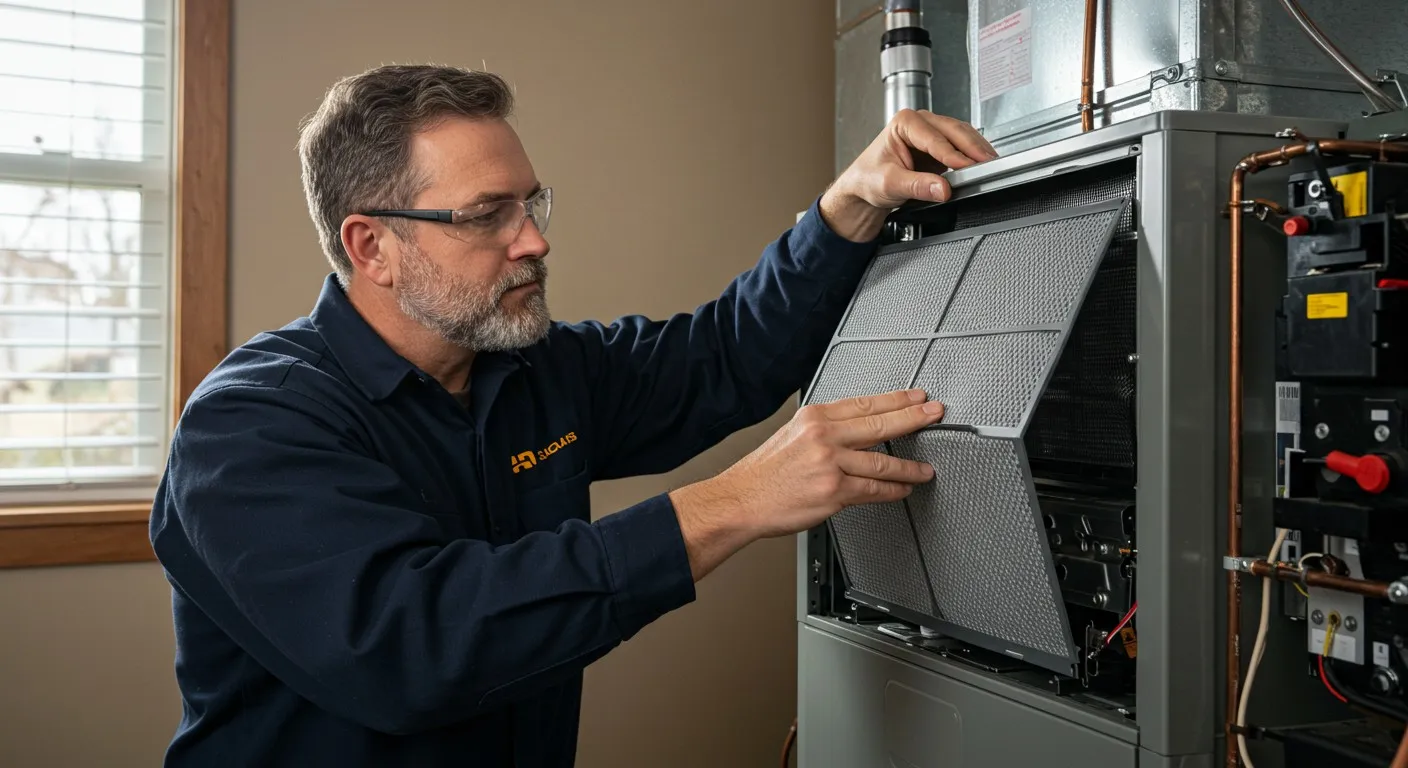
This is a very common issue right after a homeowner changes their own air filter. If you recently slid a new filter in and didn't perfectly align the metal access door when putting it back, the system will not turn on. If you are experiencing a blank screen in Boyd TX, take a quick walk to your indoor unit. Firmly press on the access panel doors. If you hear a click and suddenly hear the system hum to life (and your thermostat screen turns back on), you have solved the problem. It is a quick, safe visual check that anyone can perform without tools.
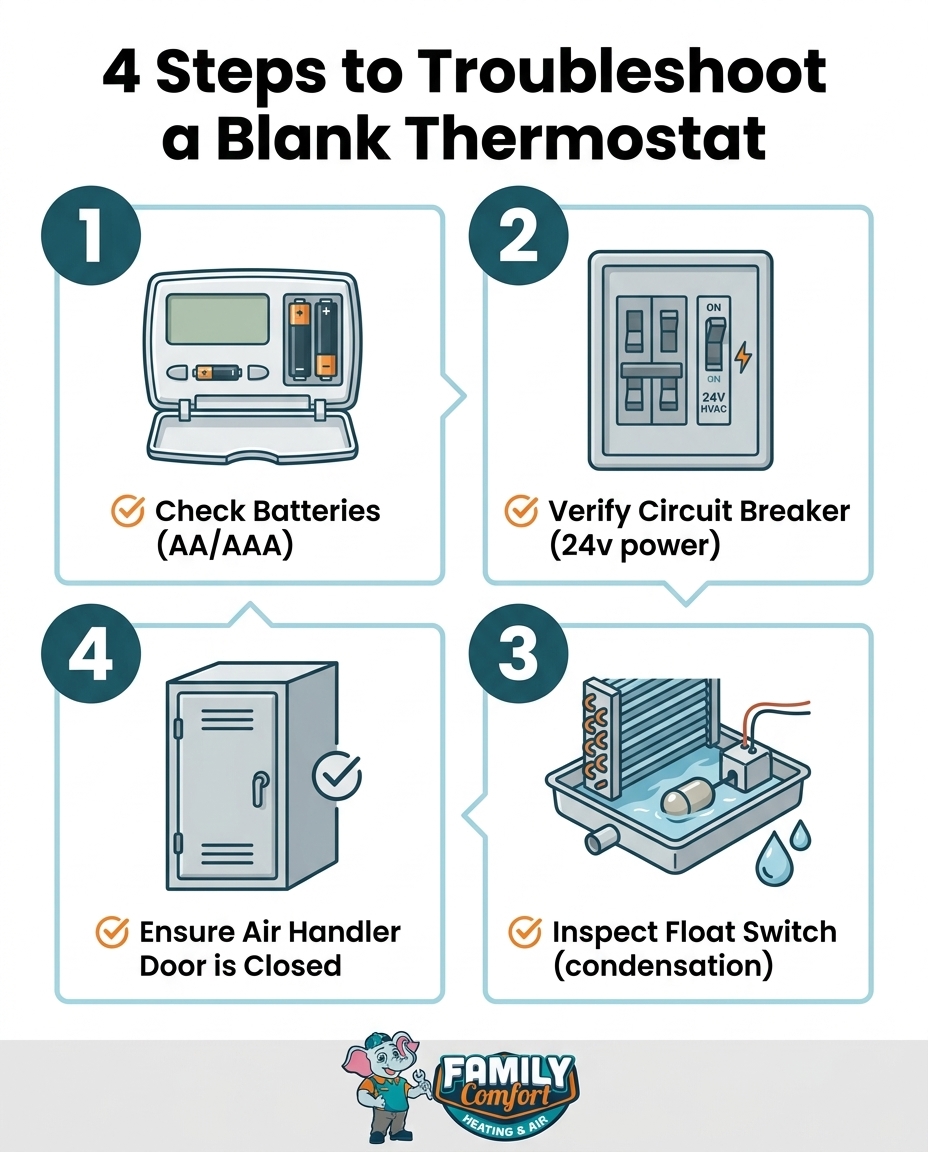
If you have changed the batteries, verified the circuit breaker is on, confirmed the drain pan is dry, and ensured the indoor unit door is tightly secured, but your screen is still blank, you have reached the limit of safe DIY troubleshooting. When all basic external checks pass, the issue is likely internal to the HVAC equipment.
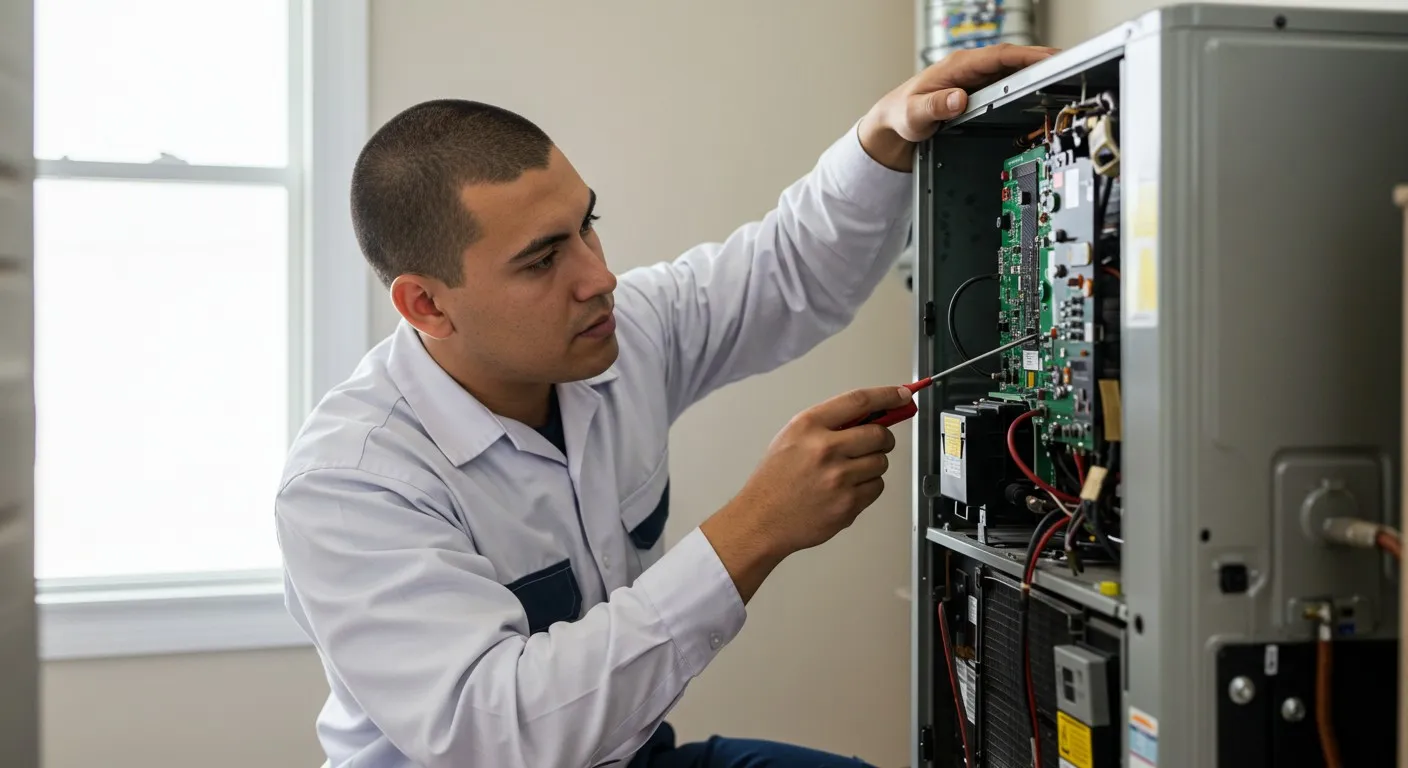
At this stage, you could be dealing with a blown fuse on the indoor control board, a faulty transformer that has stopped stepping down the voltage, or damaged wiring chewed by pests in the attic. At Family Comfort Heating & Air, we always encourage Boyd residents to check these simple fixes first. In our daily operations, we see firsthand how empowering homeowners with basic troubleshooting saves unnecessary stress. However, opening the HVAC cabinet to test high-voltage components with a multimeter is dangerous. The condenser runs on 240 volts of electricity, which can cause severe injury. Testing and repairing these internal components legally and safely requires a licensed professional.
A professional diagnosis during a Texas summer heatwave will quickly pinpoint the exact electrical failure. Whether it is a simple control board fuse replacement or a sign that you should start considering replacing your AC system due to age and repeated electrical faults, a licensed technician will give you the clear answers you need to restore your home's comfort.
If your screen is on but you are dealing with other frustrating symptoms, such as your AC is running but not cooling your home, that requires a completely different troubleshooting approach. But if you are still staring at a completely blank screen in Boyd TX, here are the answers to the most common questions we hear from homeowners.
A thermostat suddenly goes blank when it loses its power source. This usually happens because the internal AA or AAA batteries have died, or because the 24-volt electrical connection from the main HVAC unit has been interrupted. Common causes for this interruption include a tripped circuit breaker, a tripped condensate float switch, or a blown fuse on the indoor control board. Checking the batteries and the breaker panel are the best first steps.
No, a blank thermostat does not automatically mean your AC is broken. The thermostat is just the control panel that sends signals to the heavy equipment. If the control panel loses power, it cannot tell the AC to turn on, making it seem like the whole system is dead. Often, the AC unit itself is in perfect working order and is simply waiting for a signal from a powered thermostat.
You can fix a blank thermostat screen by systematically checking its power sources. Start by pulling the faceplate off the wall and replacing the batteries. If that does not work, check your home's electrical panel for a tripped HVAC breaker and reset it if necessary. Next, check the indoor unit's drain pan for standing water, which might have tripped the safety float switch. If these steps fail, you will need a professional to check the internal wiring.
A power surge can cause your thermostat to go blank by blowing the low-voltage fuse on your indoor air handler's control board. This small automotive-style fuse is designed to sacrifice itself to protect the more expensive computer components from electrical spikes. When the fuse blows, it severs the 24-volt power connection to the thermostat, resulting in a dead screen that requires a technician to replace the fuse and test the board.
Yes, a clogged AC drain line is one of the most common causes of a blank thermostat during the summer. When the line clogs, condensation backs up into the drain pan and lifts a safety float switch. This switch is wired to cut power to the thermostat immediately to stop the AC from producing more water, thereby preventing severe water damage to your home's ceilings or floors.
No, you should not try to rewire your thermostat yourself unless you have specific electrical training. While the thermostat itself uses low 24-volt power, making a mistake with the wiring can send a short circuit back to the main control board, instantly blowing fuses or permanently damaging the expensive circuit board. Always rely on a licensed HVAC professional for wiring issues to ensure safety and system integrity.
Dealing with unexpected Air Conditioning issues during a peak Texas summer heatwave is incredibly frustrating, especially when your home is warming up by the minute. While a blank thermostat can induce panic, running through these simple troubleshooting steps can often restore your system without the need for an emergency service call. By checking the batteries, the breakers, the float switch, and the access doors, you take control of your home's comfort. If you have tried everything and the screen remains stubbornly dark, you don't have to face the heat alone. Reach out to your local experts to get a thorough, safe diagnosis and get your home back to the cool, comfortable sanctuary you deserve.


Stay comfy with 0% Financing for 12 Months on a new HVAC system through Synchrony and Wisetack! No hidden fees, no stress—just easy payments.